

Inside Git : The Tiny Worker Inside .git

Hi, I’m Swastisunder 👋 I’m a full-stack web developer focused on building clean, modern, and practical web applications. I work mainly with the MERN stack (MongoDB, Express, React, Node.js) and enjoy turning ideas into real, usable products. Right now, I’m also learning Python and AI/ML, one concept and one project at a time. Always learning. Always building.
A small story by Swastisunder
Introduction
When I first started learning Git honestly I was just typing commands blindly.
git init
git add .
git commit -m "first commit"
Everything somehow worked.
But internally I had no idea what Git was actually doing.
It felt like magic.
Like some invisible machine storing all my code memories forever.
Then one day I discovered the hidden .git folder.
That small hidden folder completely changed how I understand Git.
This is not one of those blogs where we just memorize commands.
This is a story about a tiny worker named Bitu who enters inside .git folder to understand what Git actually do internally.
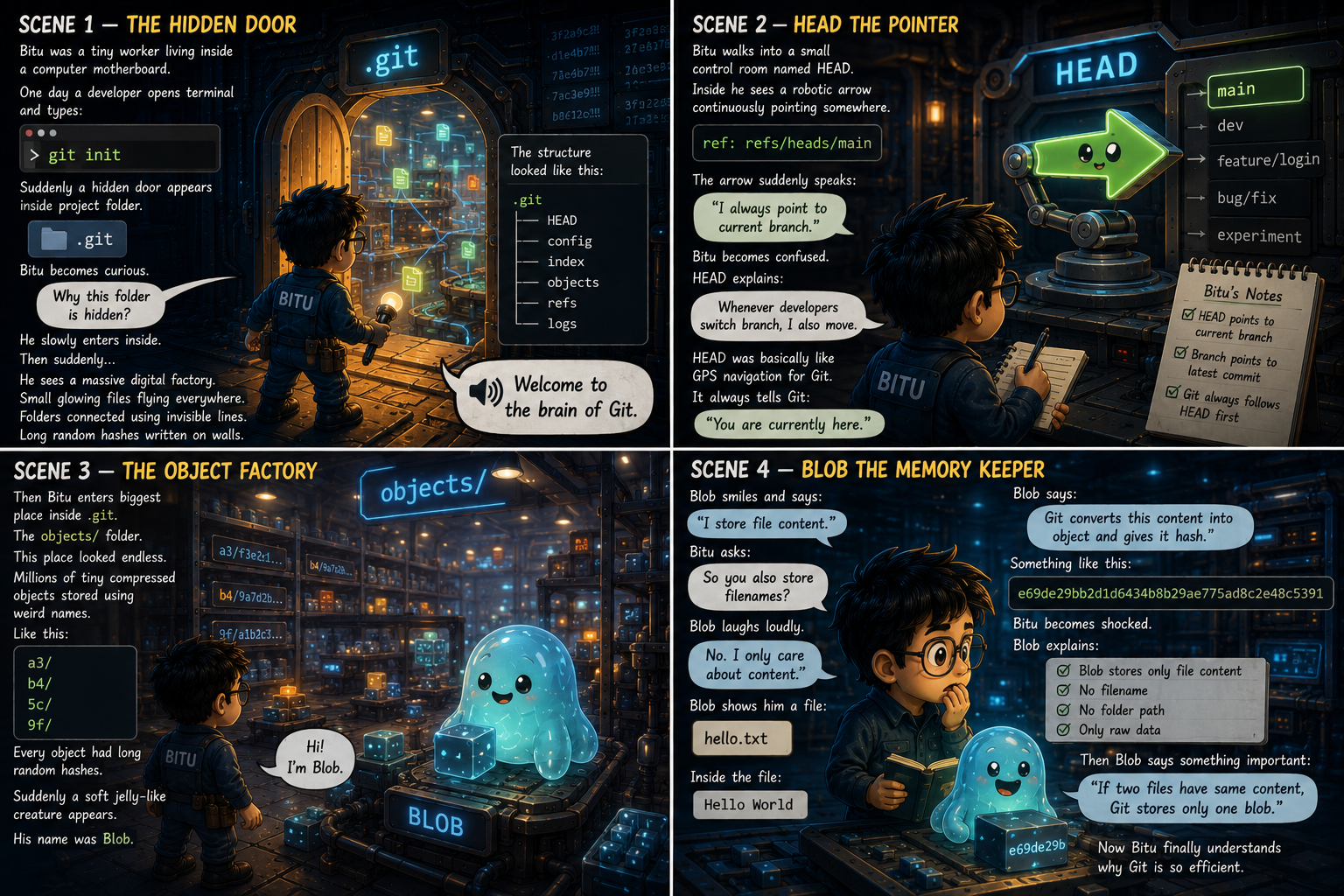
Scene 1 — The Hidden Door
Bitu was a tiny worker living inside a computer motherboard.
One day a developer opens terminal and types:
git init
Suddenly a hidden door appears inside project folder.
.git
Bitu becomes curious.
“Why this folder is hidden?”
He slowly enters inside.
Then suddenly…
He sees a massive digital factory.
Small glowing files flying everywhere.
Folders connected using invisible lines.
Long random hashes written on walls.
The structure looked like this:
.git
├── HEAD
├── config
├── index
├── objects
├── refs
└── logs
Then a loud voice echoes:
“Welcome to the brain of Git.”
Scene 2 — HEAD The Pointer
Bitu walks into a small control room named HEAD.
Inside he sees a robotic arrow continuously pointing somewhere.
ref: refs/heads/main
The arrow suddenly speaks:
“I always point to current branch.”
Bitu becomes confused.
HEAD explains:
“Whenever developers switch branch, I also move.”
HEAD was basically like GPS navigation for Git.
It always tells Git:
“You are currently here.”
Bitu writes inside his notebook:
HEAD points to current branch
Branch points to latest commit
Git always follows HEAD first
Scene 3 — The Object Factory
Then Bitu enters biggest place inside .git.
The objects/ folder.
This place looked endless.
Millions of tiny compressed objects stored using weird names.
Like this:
a3/
b4/
5c/
9f/
Every object had long random hashes.
Suddenly a soft jelly-like creature appears.
His name was Blob.
Scene 4 — Blob The Memory Keeper
Blob smiles and says:
“I store file content.”
Bitu asks:
“So you also store filenames?”
Blob laughs loudly.
“No. I only care about content.”
Blob shows him a file:
hello.txt
Inside the file:
Hello World
Blob says:
“Git converts this content into object and gives it hash.”
Something like this:
e69de29bb2d1d6434b8b29ae775ad8c2e48c5391
Bitu becomes shocked.
Blob explains:
Blob stores only file content
No filename
No folder path
Only raw data
Then Blob says something important:
“If two files have same content, Git stores only one blob.”
Now Bitu finally understands why Git is so efficient.
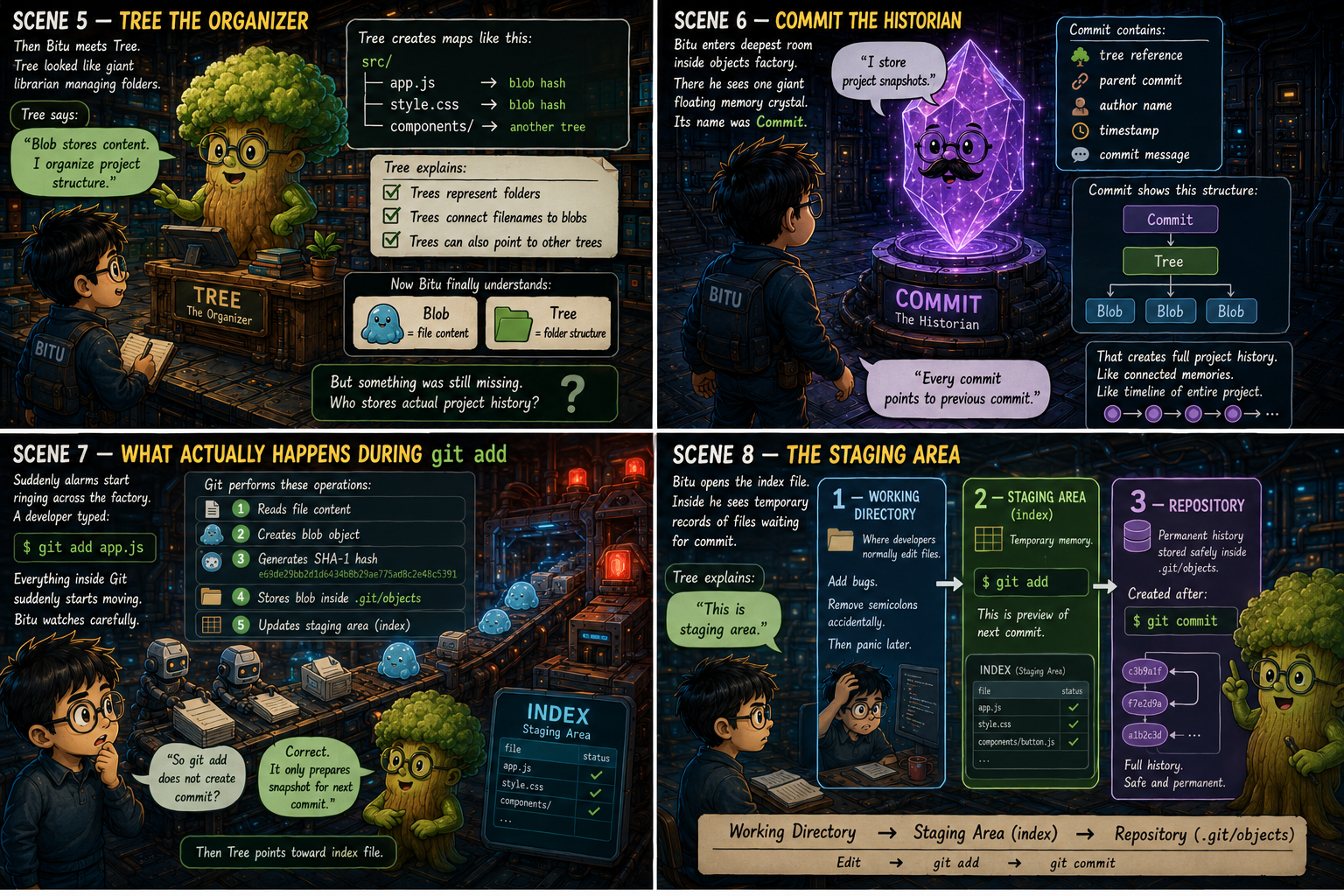
Scene 5 — Tree The Organizer
Then Bitu meets Tree.
Tree looked like giant librarian managing folders.
Tree says:
“Blob stores content. I organize project structure.”
Tree creates maps like this:
src/
 ├── app.js -> blob hash
 ├── style.css -> blob hash
 └── components/ -> another tree
Tree explains:
Trees represent folders
Trees connect filenames to blobs
Trees can also point to other trees
Now Bitu finally understands:
Blob = file content
Tree = folder structure
But something was still missing.
Who stores actual project history?
Scene 6 — Commit The Historian
Bitu enters deepest room inside objects factory.
There he sees one giant floating memory crystal.
Its name was Commit.
Commit slowly speaks:
“I store project snapshots.”
Commit contains:
tree reference
parent commit
author name
timestamp
commit message
Commit shows this structure:
Commit
   ↓
 Tree
   ↓
Blob Blob Blob
Commit explains:
“Every commit points to previous commit.”
That creates full project history.
Like connected memories.
Like timeline of entire project.
Scene 7 — What Actually Happens During git add
Suddenly alarms start ringing across the factory.
A developer typed:
git add app.js
Everything inside Git suddenly starts moving.
Bitu watches carefully.
Git performs these operations:
Reads file content
Creates blob object
Generates SHA-1 hash
Stores blob inside .git/objects
Updates staging area (index)
Bitu asks:
“So git add does not create commit?”
Tree replies:
“Correct. It only prepares snapshot for next commit.”
Then Tree points toward index file.
Scene 8 — The Staging Area
Bitu opens the index file.
Inside he sees temporary records of files waiting for commit.
Tree explains:
“This is staging area.”
Git workflow basically works in 3 stages.
1 — Working Directory
Where developers normally edit files.
Add bugs.
Remove semicolons accidentally.
Then panic later.
2 — Staging Area (index)
Temporary memory.
Prepared using:
git add
This is preview of next commit.
3 — Repository
Permanent history stored safely inside .git/objects.
Created after:
git commit
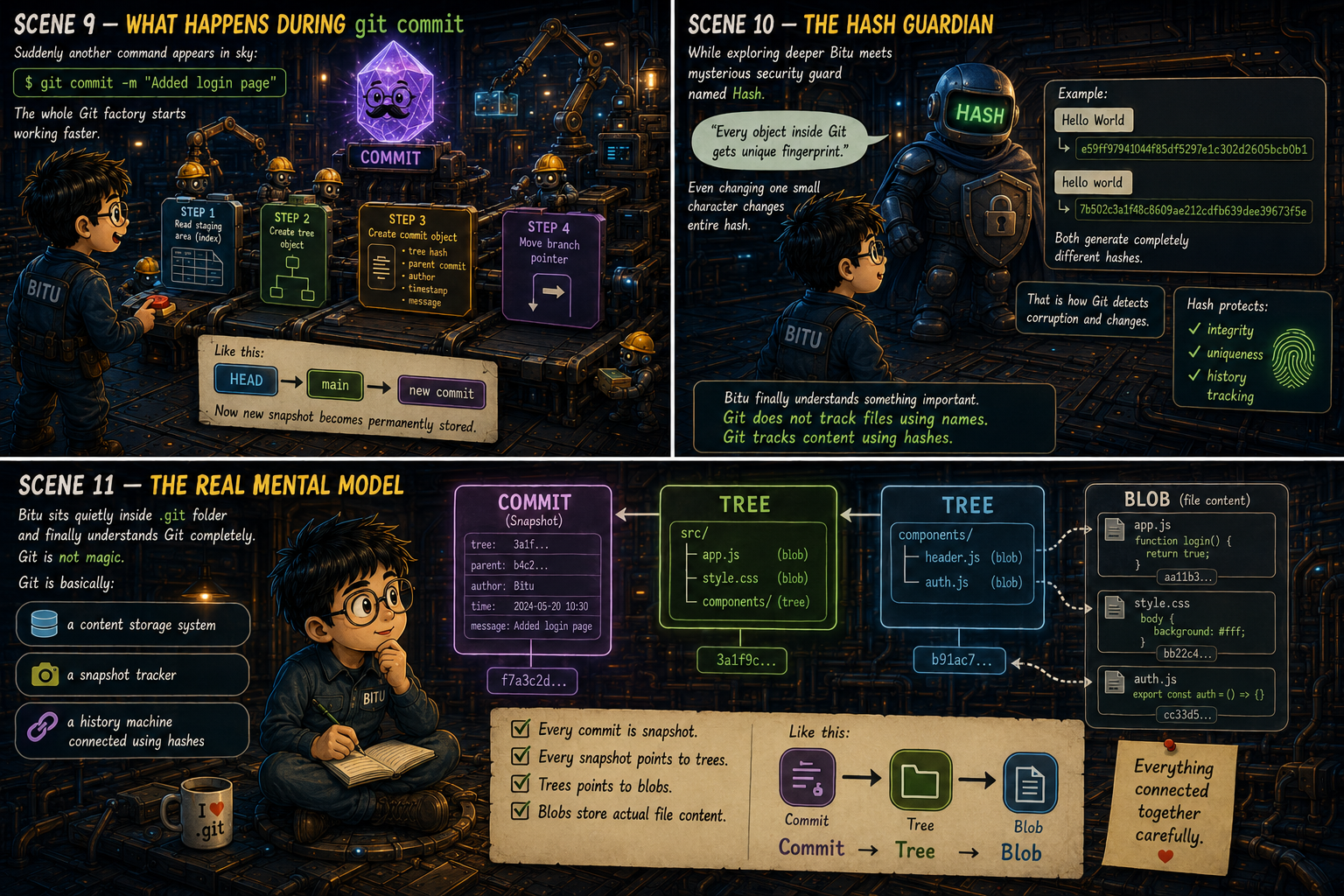
Scene 9 — What Happens During git commit
Suddenly another command appears in sky:
git commit -m "Added login page"
The whole Git factory starts working faster.
Commit explains what happens internally:
Step 1
Git reads staging area (index).
Step 2
Git creates tree object representing folder structure.
Step 3
Git creates commit object containing:
tree hash
parent commit
author
timestamp
message
Step 4
Git moves branch pointer.
Like this:
HEAD -> main -> new commit
Now new snapshot becomes permanently stored.
Scene 10 — The Hash Guardian
While exploring deeper Bitu meets mysterious security guard named Hash.
Hash protects every object inside Git.
Hash says:
“Every object inside Git gets unique fingerprint.”
Even changing one small character changes entire hash.
Example:
Hello World
and
hello world
Both generate completely different hashes.
That is how Git detects corruption and changes.
Hash protects:
integrity
uniqueness
history tracking
Bitu finally understands something important.
Git does not track files using names.
Git tracks content using hashes.
Scene 11 — The Real Mental Model
Bitu sits quietly inside .git folder and finally understands Git completely.
Git is not magic.
Git is basically:
a content storage system
a snapshot tracker
a history machine connected using hashes
Every commit is snapshot.
Every snapshot points to trees.
Trees points to blobs.
Blobs store actual file content.
Like this:
Commit -> Tree -> Blob
Everything connected together carefully.
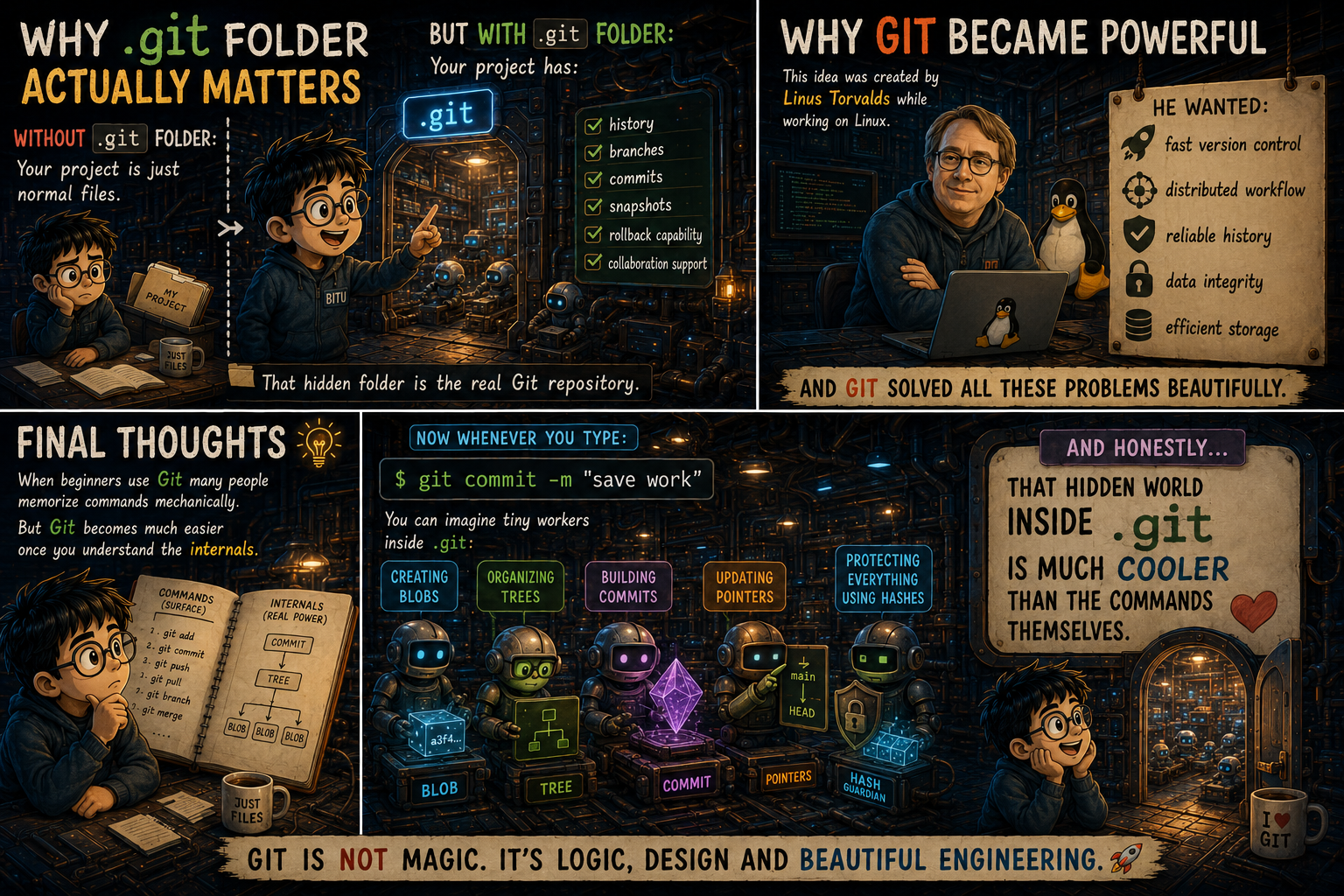
Why .git Folder Actually Matters
Without .git folder:
Your project is just normal files.
But with .git folder:
Your project has:
history
branches
commits
snapshots
rollback capability
collaboration support
That hidden folder is the real Git repository.
Why Git Became Powerful
This idea was created by Linus Torvalds while working on Linux.
He wanted:
fast version control
distributed workflow
reliable history
data integrity
efficient storage
And Git solved all these problems beautifully.
Final Thoughts
When beginners use Git many people memorize commands mechanically.
But Git becomes much easier once you understand the internals.
Now whenever you type:
git commit -m "save work"
You can imagine tiny workers inside .git:
creating blobs
organizing trees
building commits
updating pointers
protecting everything using hashes
And honestly…
That hidden world inside .git is much cooler than the commands themselves.


